Showing posts with label Mobiles. Show all posts

Tuesday, 1 February 2011

THE NEXT GENERATION COMPUTER

Since the modern computers began to appear, the computer sciences has progressed a lot. Among the major computer manufacturers, the name of Apple Inc., formerly known as Apple Computers Inc., doesn't need any introduction. Apple is in operation since 1976. The Apple Macintosh computer system is its one of the biggest inventions. But Apple is much better known for its hand-held portable devices. First iPods, iPhone and finally the greatest of all, "The iPad" was not unable to make an immediate impact on the minds of the common people. And why not, the diversity of its services can make anyone crazy about it.

The functionality and the variety of services that the iPad provides is unmatchable. From internet browsing to the best of entertainment, the iPad has it all. It has almost every feature that a personal computer has. It has much to offer to its buyers. With its blazing fast 1GB Apple A4 processor, it makes it even faster. It has fix capacity of 16, 32 or 64 GB which is kind of drawback because sometimes 250GB of HDD is proved not to be enough for personal needs like storing movies and heavy games. It has an attractive aluminium body with a 9.7 inch scratch resistant coated screen. It has a maximum resolution of 1024x768 pixels. It has bluetooth and a Wi-Fi for internet connectivity.

The software iPad is running is same as the the iPhone software, i.e, iPhone OS 3.2 and is upgradable upto OS 4.0. The iPad also comes with some of the best applications currently available in the market. Browsing with Safari Internet Browser is much easier and convenient. However it requires some payment, but the services offered by the iTune and the App Store are fabulous, as they provide the best available and latest music files and applications respectively for your iPad.

When it comes to the revenue, the iPad is generating a lot. Even much more than its compeititors Apple claims to have sold 2 million pieces within 2 months of the official launch of the iPad. Due to online pre-orders, 240,000 pieces were sold in one day. It is much popular than almost every other device of the same category. Thats because of the promise delivered by its manufacturers, that was made before its official launch.


Its quite true that the iPad has almost every feature that a tablet computer has to offer, but it has various drawbacks as well. First of all, its limited and unextendable storage capacity. Next is the unavailability of USB ports. Nowadays, its useless to think of a PC without having USB functionality. Flash support has been omitted, and thats a big reason of the questions raised against its offers. Camera has not been included in its design and having a poratble PC without a camera is not a thing to be expected from a next generation computer. Apart from these defects, multi-tasking is not entertained. Only a single task at a time could be annoying.

Currently, iPad is one of the fastest selling devices. Despite being expensive; ranging from $500 - $800, people are diverted towards it and the number of sales continue to increase as the time passes by.


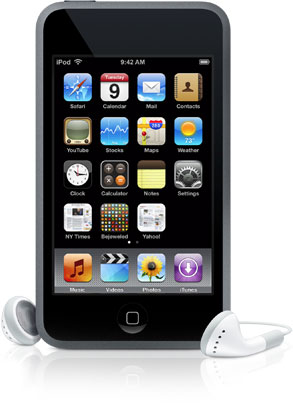
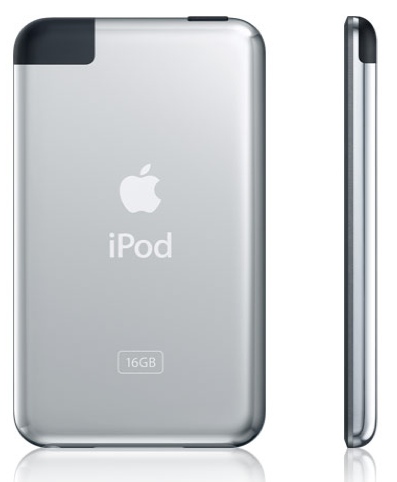
apple ipod

APPLE iPAD; A REVOLUTIONARY DEVICE

Even before it was launched, it was the subject of debate for the future of the technology. It was the subject of attention of the people, before it even had a name. It was going to be a computing revolution and one of the best products, we have been ever gifted by the technology. Its the first device to substantially deliver the promises made by its makers. It evolves a computer in an effective way. It presents the theme of a personal computer very significantly. It has made the world crazy about it. By its lovely presentation, and its remarkable features, it rules over the hearts of millions of people. Yes, Its the Apple's new and innovative computer, "The iPad".
FEATURES:

The features of the Apple's iPad are countless. It has a multi touch 9.7 inch crystal clear screen with a resolution of 1024x768. LED backlighting and a scratch resistant coating makes it even prominent among other tablets. It has a blazing fast Apple A4 1GB processor and 3 different storage capacity ranges; 16, 32 and 64 GB. It has 2.1+EDR Bluetooth and a Wi-Fi for best internet availability. The operating system used in the iPad is the same as iPhone, i.e, OS 3.2 and is upgradable upto OS 4.0. Apple claims to provide best battery life with 10 hours of continous Video playback, 140 hours of Audio playback and almost a month on standby. It weighs nearly 1.5 pounds. Ideal for a device under such category.

The applications that comes alongwith the iPad include Safari, Mail, Youtube, iPod, iTunes, App Store, Maps, Notes, Books, and Spotlight Search. Most of them are the improved and modified versions of the applications, developed for the iPhone and the iPod Touch.

POPULARITY:

When it comes to popularity, the iPad is one of the fastest selling tech gadgets, we have ever seen. Having being announced on Januray 27, 2010, it was officialy released on April 3, 2010. Apple claims to have sold 1 million iPads by May 3, 2010, and 2 million by May 31. Due to online pre-orders Apple shifted 240,000 iPads in one day. Where as some of the famous products like iPod sold 129,000 units in its first 3 months, Amazon Kindle sold 1,100 units on its first day, Google Nexus One with 20,000 units in its first week, iPod Touch with about 16,000 sales on its first day, Xbox 360 sold 36,222 in its first 24 hours, Nintendo Wii with approximately 74,000 sales on the first day, Motorola Droid sold its 100,000 pieces on its first weekend. So it can be easily understood that what is the impact of The iPad on the minds of the people.

DRAWBACKS:

The next generation computer without USB Ports, Built-In camera, Flash Support and Multi-tasking accessibility sounds really pathetic. The storage capacity which can not be increased, is another notable failure in the iPad.

Despite having a number of defects, somehow, the iPad has still managed to rule the techno-world. That is because of the remarkable features that are included in it and it has proved itself to be more attractive to the people than any other tablet PC out there in the market.


ipad

APPLE IPAD; A REVIEW

The technology and its advancement is remarkable. In the field of computers and calculating devices, it has progressed even more. The amount and variety of the tech products now available is unparallel. The first computers were made in the fifties. They were of enormous sizes and costed a lot. But now, its totally different. Even plenty of Hand-Held computers with all the functionalities and low prices, are available. Out of those, iPad from Apple Inc. is one of the best technology gadgets we have ever seen.
Apple's iPad is considered as a computing revolution. It has been a subject of debates about the future of technology and media. It has made a great impact on the minds of people. Having being such a device, its really expensive too. The iPad costs from $500 to $850 depending on difference in Wi-Fi, 3G and Storage Capacity. It is one of the best sellers. nearly 2 million pieces were sold within 2 months of its official release.

HARDWARE:

The iPad comes with a 9.7-inch display, a 1024x768 resolution, LED backlighting, a fingerprint reader with a capactive touch and scratch resistant oleophobic coating. For the Non 3G version, it weighs 680g, and 730g for the 3G version. It has a 1 GB, A4 Apple processor and it comes in three ranges of capacity, i.e, 16, 32, and 64 GB. It has a 2.1+EDR and a 802.11a/b/g/n Wi-Fi for better internet connectivity. The iPad has a digital compass. There's also a GPS onboard in the 3G version and both versions have an ambient light censor and accelerometer. It also has a built-in microphone and a built-in speaker. The iPad ressembles a large iPhone and more likely to an iPod Touch. Its not super heavy but it does has a healthy solidness to it.
SOFTWARE:

The iPad is running a modified version of the iPhone that is OS 3.2. It has some new user interface additions. It is upgradable upto OS 4.0. The software used in the iPad has only a few changes from the iPhone software. The common change is the modification of the apps for this size screen.

APPLICATIONS:

Every installed application has been upgraded and recoded for the larger screen. Some of the notable iPad apps iclude Safari for a better internet experience, Mail, Calendar, Youtube, iPod, iTunes, App store, Maps, Notes, Books, Spotlight search etc. Most of the applications used in the iPad are the modified and upgraded forms of the apps used in the iPhone.

DRAWBACKS:

Like any other gadget, it has some drawbacks as well. The modern generation computer without a camera is incomplete. Yes, the iPad doesn't has any built-in camera. This device doesn't supports Flash also, which is also a big drawback. Multi-tasking is not accessible. Browsing without listening to the music, sounds pathetic. Some other failures of this device include the unavailability of USB Ports and storage capacity limitations. Thats a nightmare.

Although the iPad has some failures and drawbacks, it is still a computing revolution. The technology will continue to advance and we will definitely see yet another remarkable device, possibly in the near future.


apple ipad

Apple iPad - A Revolution

"It was hyped and ripped before it even had a name, and after it was announced, it was both praised and panned. Apple's iPad has been the subject of debates about the future of technology and media, and massive speculation about whether people will really want to buy and use it."

- Macworld

Since the first computer was made in the fifties, the technology has developed extremely. Computers which usually took the place of a living-room then, are now being made in creditcard formats. The amount and variety of technology currently available today, is remarkable. Certainly the iPod, iPhone, and now "The iPad" have changed the way people communicate and work in order to be successful in schools, offices and homes.

When you search Google for "iPad", it returns 149,000,000 results, amazing!! and why not, for such a revolutionary product, it should have resulted even more. Having being announced on January 27, 2010, it was released on April 3, 2010 and April 30, 2010 for Wi-Fi and Wi-Fi + 3G respectively, it has made a great impact with a remarkable number of pieces sold. In 2001, The iPod sold 129,000 units in its first 3 months, Amazon Kindle sold 1,100 units in its first 24 hours, Google Nexus One with 20,000 units in its first week, iPod Touch with about 16,000 sales on its first day, XBox 360 sold 36,222 in its first 24 hours, Nintendo Wii with app. 74,000 sales in 24 hours, Motorola Droid sold 100,000 on its first weekend, while due to online pre-orders, Apple shifted 240,000 iPads in one day. Apple says it sold 1 million iPads by May 3, 2010, and 2 million by May 31, 2010, Flawless !
The Apple iPad comes with a multitouch display of 9.7 inches at a resolution of 1024x768 pixels with LED backlighting, a fingerprint and scratch resistant coating makes it even prominent among other tablet computers. It weighs 680g(Wi-Fi) and 730g(Wi-Fi + 3G). It has a 1 GHz Apple A4 Processor, with a fixed capacity of 16, 32 or 64 GB storage. The most important of all, it has a 2.1+EDR Bluetooth and a Wi-Fi, for best internet availability. The operating system used in iPad is the same as iPod Touch that is iPhone OS 3.2 which is upgradable upto OS 4.0. It has a 10 hours video playback time or 140 hours of Audio playback and 1 month standby time. What more, one could expect.


The applications that comes with the iPad, include Safari, Mail, Photos, Video, YouTube, iPod, iTunes, App Store, Maps, Notes, iBooks, Calendar, Contacts, and Spotlight Search. Several are improved versions of applications, developed for the iPhone.

Like any other electronic device, there are some drawbacks in the iPad as well. You are talking about the "Next generation personal computer" without a camera? Thats a nightmare. Some other failures include, the unaccessibility of multi-tasking; browsing without listening music, sounds pathetic. The unavailability of USB ports is often a big failure. The iPad is meant to be an easy-to-use appliance, not an all-purpose computer. A USB port would mean installing drivers for printers, scanners and anything else you might hook up. More importantly, the omission of Adobe Flash is not the thing, we were expecting from such a great invention. The limitations of storage is also a negative aspect.

There are some aspects of this device which we love, and others which we clearly don't. The iPad is a computing revolution. Although it has some drawbacks, It evolves the personal computer in a significant way. The best way to sum up is to say that its the first device to substantially deliver on the promise made by its manufacturers. We can say that iPad is the end of a long journey as well as the start of a new one. We can't wait to see where the technology takes us next.


Apple ipod

Tuesday, 18 January 2011

Motorola DROID Pro Review

Motorola DROID Pro. The name just sounds intimidating and serious. The iPhone captured the market by being fun and approachable, and Google took that a step further with Android by opening up the platform, making it customized and personal. But when you add “pro” to something you’re not messing around, and that’s exactly what Motorola is doing with their latest offering for Verizon Wireless. The Pro aims to take on the BlackBerry segment,

something Android has been garnering attention from anyway, but more specifically the BlackBerry power user, many of which have thus far resisted the lure of the little green robot. From the portrait QWERTY orientation to the lightning fast performance the Motorola DROID Pro is squarely aimed at the suits, but will it be enough to win over this fiercely loyal user base?

Included with the Motorola DROID Pro you will find:

Li-Ion battery
AC adapter with international adapters
USB cable
2GB microSD card
Design

The Motorola DROID Pro may share a form factor with BlackBerry, but it sure doesn’t feel like one. For starters it is narrow and tall, and the screen is very large. BlackBerry devices typically have displays of about 2.4 inches, orientated horizontally, but the DROID Pro features a 3.1” display in portrait orientation. This leaves less room for the keyboard in both dimensions, and as such the keyboard is much more cramped than you would find on a Curve or Bold. Motorola attempts to use the flared key design like we’ve seen with the Bold and Style, but the keys just don’t feel as natural on this device. Because the screen dominates the phone the bottom row of keys ends up at the very bottom of the phone, and this makes using it a bit awkward, similar to what we felt with the sides of the BlackBerry Style. A top-flight BlackBerry keyboard this is not, but that said it is still pretty good. Auto-correct generally fixed the mistakes we made, though in a typical few sentence email we would have to make one or two corrections ourselves, and as with any keyboard we got more used to it the more we used it.

The overall size of the Motorola DROID Pro is good. It has roughly the same footprint as the DROID 2, but is considerably lighter. This is because the device is mainly plastic. Motorola used high quality materials for the Pro, but we would have preferred a soft-touch back instead of the hard plastic they opted for. Nonetheless the DROID Pro feels quite solid in the hand and we don’t have any issues about its build quality.

The 3.1” display is good but not great. It has a resolution of 320x480 and is bright enough to be read in most lighting conditions comfortably. As you might expect it is a multi-touch capacitive touchscreen. It is plenty responsive and offers haptic feedback where appropriate. It surprised us that the screen was not rotating when we turned the phone, but it turns out the auto-rotate feature appears to be turned off by default on the DROID Pro, so a quick trip to the settings menu fixed that.

The Motorola DROID Pro has the standard four Android navigation keys below the screen. They are capacitive and integrated into the display, separate from the keyboard. On the left side are the volume rocker and microUSB charging port (which glows white while charging) and on the right is a programmable key much like BlackBerry convenience keys. The power button and 3.5mm headphone jack sit atop of the DROID Pro. The stylized back door houses the 5 megapixel camera with dual LED flash at the top left, and the DROID Pro’s single speaker centered near the bottom.

Overall the Motorola DROID Pro offers a good blend of size and functionality in this relatively new form factor for Android. The phone feels good in your hand, and when turned on its side the keypad doesn’t get in the way too much. While that keyboard isn’t as good as what you’d find on the BlackBerry Bold, it is still quite usable and will help the business crowd ease into the transition from their BlackBerry into the DROID Pro.

Source: Phonearena.com


Motorola DROID Pro mobile

LG Optimus One P500 review

The LG Optimus One may not be your average killer gadget, but it sports a tempting pricetag, solid build, a nice looking set of features and Android 2.2 Froyo. And with the Optimus One in your hand, you are free to mock and tease those seemingly superior phones, which are still stuck on Eclair – now that's priceless!

Indeed, the Optimus One offers an awesome price-to-features ratio among modern Android smartphones. With 1 million units sold already, the LG Optimus One P500 seems to be a popular option and it’s not difficult to see why.

True, it's only got a moderately clocked CPU running at 600MHz, but with the performance boost from Froyo it feels reasonably fast and responsive most of the time and the plenty amounts of RAM give it enough app-toggling punch. Here go the rest of the specs:

Key features:

3.2" 256K-color capacitive TFT touchscreen of HVGA resolution (320 x 480 pixels); Multi-touch input
Quad-band GSM/GPRS/EDGE support
Dual-band 3G with HSDPA (7.2 Mbps)
600MHz CPU running Android 2.2 Froyo; 419MB RAM
3 megapixel autofocus camera; face and smile detection, geotagging
VGA video recording @ 18fps
microSD card slot, up to 32GB, 2GB in the box
Standard 3.5mm audio jack
Standard microUSB port (charging)
GPS receiver with A-GPS; Digital compass
Wi-Fi b/g; Wi-Fi hotspot functionality built-in
Bluetooth 2.1 with A2DP
Accelerometer for screen auto rotate; Proximity sensor
FM radio with RDS
Office document editor
Portrait and landscape on-screen QWERTY keyboard
Social networking integration
DivX/XviD support
Smart dialing
Excellent loudspeaker performance
Main disadvantages:

Slow CPU makes editing Office documents a chore
Camera is just 3MP, has no lens protection, no flash and no dedicated shutter key
No Flash support in the browser despite Froyo
No front facing camera
Digging inside the camera settings you can almost get lost – smile shots, face detection, face-tracking effects, beauty and art shots and so on. At 3MP it’s a no-frills camera but certainly one for casual users to have so much fun with.

Then there are the Facebook and Twitter apps which come preinstalled and the video player has DivX/XviD video support – the LG Optimus One P500 knows good fun. There’s a serious side to it as well, the Office document viewer/editor will help you get some work done.

Overall, the Optimus One can’t compete in the Android big league but great value for money is likely to draw many people away from feature phones (which is a huge market to tap into).

It’s not without its limitations – editing a complex Office document is painfully slow and video playback stops short of VGA resolution.

But when you’re buying cheap, you know you’ll have to make compromises.

Source: GSM ARENA


LG Optimus One P500

Nokia C3 Review

Nokia unveiled its new messaging phone Nokia C3. The new C3 is competitive and comes in a very affordable price range. The phone is nice and sleek with a complete QWERTY keyboard. Nokia aimed C3 for usage by heavy texters and social network users. The phone comes with 2.4” display, Wi-Fi, Bluetooth, 3.5mm audio jack, microSD card slot and microUSB. Nokia C3 Price is relatively at the lower end and can be purchased for the price of about Rs 11,500.

Design

The new Nokia phone has a resemblance with Nokia E72 in its design. The phone is one of the slimmest and compact messengers in the mobile phone industry. Nokia has made this mobile completely Text friendly. Nokia C3 has dimensions of 115.5×58.1mmx13.6mm. The mobile weighs 115grams. It comes in three colors, Hot Pink, Golden White and Black.

C3 comes with a 2.4Inch TFT display with the resolutions of 320×240 pixels and supports 256K colors. Display is good enough and the colors are bright.

Below the display is navigation array having four directional arrows and a middle selection key. On its sides are two soft keys, for the access to favorite contacts and messages. The call and end key are present below navigation array. The QWETRTY keyboard is good and keys are well sized and sufficiently spaced. The keyboard gives a better messaging environment and is user friendly. On the top is standard 3.5 mm audio jack. The left side has a microUSB port and a Camera on rear. C3 gives a tough competition when it comes to functions with C6.

Telephone Experience

C3 runs on Nokia’s S40 mobile operating system. The phone offers direct access to favorite contacts on home screen. Favorite contacts will be listed at top of screen and you can make a call or text them with just a click. Moreover, favorite friend’s social network updates, like facebook and twitter, will also be available on the home screen. The home screen includes widgets that can be customized for your favorite applications.

The C3 comes with support of some of the IMs namely Yahoo Messenger, Google Talk, Windows Live Messenger and Ovi Chat. The phone also provides access to world famous e-mail accounts like Yahoo, Hotmail, Gmail and others. Along with this, the phone comes with a free Ovi Mail account.

The phone comes with the standard Lithium ion battery which supports a standby time of 792 hours and a talk time of 7 hours on 2G network. The phone does not support 3G networks. This is an impressive battery figure as compared to many other phones.

The phone provides an impressive call quality without any kind of distortion. The callers at both ends have no problem. The speaker phone is also of good quality.

Phone Management

Most of upcoming Nokia Mobiles are blessed with practically unlimited phonebook entries and the option of photo call. The phone also has a detailed call record of every call made or received for the maximum of 30 days.

The phone comes with an internal memory of 55MB and can support external microSD memory cards. The phone can support up to 16 GB of external memory.

Multimedia quality

The multimedia player in this Gadget is simple and easy to use. The media player supports different audio formats such as MP3, WAV, AAC, eAAC and eAAC+. The media player supports video formats such as MPEG-4, H.263 and H.264. The media player has a simple and user friendly interface. The sound quality is excellent and the phone additionally comes with the feature of FM radio with RDS feature.

Images and Camera

The phone comes with a 2MP camera with a flash. The camera is capable of taking pictures at resolution of 1600×1200 pixels. Camera features include auto focus, 4x digital zoom, white balance and color tone effects. The camera also features full screen viewfinder and viewfinder effects. The camera also records videos at a resolution of 320×240 pixels at rate of 15fps.

The image quality is good with bright, crisp, colorful and detailed pictures. The video quality is not extraordinary and is reasonable.

Applications

The phone comes with a HTML 2.0 browser. The phone is also preinstalled with Opera mini as well. The phone comes with Social Network integration. Other than this the phone includes some applications like calculator, currency converter etc.

Nutshell

The phone is a collection of some of the good features at a very affordable price range. Some of the features are:

* A full QWERTY keyboard for texting

* Social network integration

* Good multimedia quality

* An impressive battery time

Source: GTAP


Nokia C3 mobile

iFlash improves lighting on your iPhone pics

For those who want a little bit more flash for their iPhone might want to invest in this little add-on. I think most iPhone users know that the camera is needed for the quick snap, but the flash isn’t always the best. This is what the iFlash is, an handy iPhone accessory that can not only bring light to your pictures, but can be used as a handy flashlight. You should be able to get it now for £19.99.

Source: image acquire


iflash

Nokia C6 Review

Nokia C series started as an entry-level series since June 2010, when the first C1 and C2 handsets were launched, but continued to upgrade, as more advanced devices have been thrown on the market. Lately, we had Nokia C3, which could easily be taken as an Eseries device, and then we had Nokia C5, which is a powerful candy-bar smartphone that strongly resembles the older Nokia 6300 phone. Nokia C6 can be considered a cheaper version of the N97.

The Symbian smartphone includes all the important features that you would want from a mid-level device, without offering any high-end, innovative functions. On the other hand the slider is not lacking any important specs. And to make it even better, the Finnish handset manufacturer is offering all these at an affordable price.

Design

Nokia C6 bears the same mark as some of the XpressMusic smartphones that feature a QWERTY keyboard and touchscreen display. If you take the 5800 XpressMusic phone, which was launched on the market two years ago, and put it side by side with the new C6, you'll notice that the resemblance is astonishing. And this is not the only handset that looks exactly like the first Nokia smartphone to feature a touchscreen display. This surely tells something about the manufacturer, who is focusing more on features and less on design.

But let's cut to the chase and see how's this smartphone on the outside. Nokia C6 features a 3.2-inch touchscreen display that covers almost the entire front part of the smartphone. Above the display, next to the earphone speaker, there's a secondary camera and a small light ambient sensor. Below the large display, there are three physical keys, much like those of Nokia 5800.

The middle key is flashing all the time at a low pace, but it's also able to notify the user of a missed call or received message, as it starts to flash more frequently. The right side of the phone features two volume keys, an locking/unlocking slide key, and a dedicated camera button. The microSD card slot for memory expansion has been placed on the left side of the handset and is covered by a long plastic stripe. On the bottom of the device, there's a small charger port, while on top you will notice the microUSB port and a 3.5mm audio jack.

Nokia C6 slides to the right to reveal a full QWERTY keyboard with 39 keys and a big D-pad to the right. The keyboard has been split into two, as you can see from the screenshots. This might be a little confusing at first, but as you start using it often you'll get use to it. The keyboard is made from a cheap plastic, which shows as soon as you touch it. Well, at least the keys are responsive and the space between is wide enough, so texting won't be much of a problem with Nokia C6. The backlighting is also decent enough, so users will be able to text even in darker environment. I don't have any doubts regarding the sliding mechanism, which seems to be very solid.

The 5.0-megapixel camera on the back of the phone features a small LED flash upwards, but lacks any protective lenses. There's also a small loudspeaker placed to the right of the camera module.

The battery cover, as well as the whole back part of the phone is made from a cheap plastic, which is in deep contrast with the stylish plastic that covers the front part. Oh, well, at least the back of the phone won't be full of smudge like the front part will be after 2 minutes of use.

Overall, the phone looks compact and “mundane”, as it doesn't come out with anything new, nor will stand out from the crowd.

Display and Camera

Nokia C6 features a TFT 3.2-inch resistive touchscreen that supports 16 Million colors and 360 x 640-pixels resolution, which can also be controlled with a stylus if you have one, as the sales package doesn’t include one. Well, it's a resistive touchscreen, so don't expect miracles, as it cannot be compared with devices sporting capacitive displays.

The quality of the image is unquestionably good, including brightness and contrast - at their highest level, but it becomes poor when it's exposed to sunlight. The phone also features built-in accelerometer for display auto-rotation, as well as turn-to-mute function.

The 5-megapixel camera of C6 features autofocus, LED flash, geotagging and a pretty standard interface. Further, the camera lacks new advanced functions such as smile detection, face recognition or blink prevention. The camera UI seems to be the same as the one embedded in Nokia 5800 and N97.

The camera can take pictures with a maximum resolution of 2,592 x 1,944 pixels and saves the images pretty fast. All the settings and functions can be displayed on the touchscreen: Contrast, White Balance, ISO, Sharpness, Exposure compensation, Color tones and many more.

There's also a touch-n-shoot button on the screen, which enables users to take pictures with a simple touch instead of using the dedicated camera button. Unfortunately, the touch button lacks the "half way press" function, so you will miss the autofocus feature if you decide to use it.

The phone also has a secondary videocall camera that can be used to take pictures. The main camera can shoot clips in VGA mode at 30FPS, while the secondary can record videos in QVGA mode at 30fps. As you can see from the samples below, the pictures taken with C6 camera are not amazing, but they're decent.

Menu and Software

Nokia C6 runs Symbian 9.4 operating system, with S60 5th Edition interface, the same as its N97 mini predecessor. Little to no improvements have been done to the graphical interface, instead the UI is now even poorer in options and menus. Well, at least now you will enjoy the kinetic scroll feature, that was so needed when Nokia 5800 hit the market.

The only changes I noticed is on the 'surface', as the home screen have been improved a little. In fact the new C6 homescreen is a mix between a widget-style screen and the usual Active Standby. Still, do not expect to get more customizable homescreens, because you'll be disappointed.

Nokia C6 features only one homescreen that can be customized to display various widgets, in thumb-able blocks, which can be arranged or hidden. To hide the whole set of widgets that appear on the homescreen, simply swipe your finger to the left or right. Do the same thing to make them reappear. Clicking near the battery icon, on the upper right corner of the homescreen will give you quick access to the clock and Connectivity area, where you can enable/disable Bluetooth, Wi-Fi and other stuff.

To bring up the Main menu key, click the middle key under the screen, choose Options/Organise, to rearrange the menu as you see fit. The Home screen features the same customizable Shortcut bars that contain icons of the applications that users have previously set. They are now functioning like widgets too and offer a little bit of entertainment to the common user.

You will find applications that come pre-installed with the phone together with the clock, notes, office, recorder and other Symbian-specific functions.

The device has a variety of input methods: stylus (not present in the sales package), plectrum and finger touch support for text input and UI control, but the best by far is the full QWERTY keyboard.

Some of the key applications that come pre-loaded with Nokia C6 include: complex calendar, notepad, calculator, converter, file manager, recorder, Drawing, Traveler, Font Magnifier, Shazam, Associated Press Mobile, Bloomberg, CNN Video, ESPN Soccernet, Facebook, Friendster, Hi5, MySpace, Slideshow. There's no media sub-menu, but you get some dedicated apps under the Music menu: music player, Stereo FM RDS Radio, Ovi Music.

There's also a YouTube client, PDF reader and QuickOffice applications, which can only be used to display documents, but you cannot edit any unless you pay for an upgrade. You can also entertain yourself with the addictive Bejeweled Twist game, developed by PopCap.

Communication

Nokia C6 is a quad-band GSM (850 / 900 / 1800 / 1900) handset, HSDPA 900 / 1900 / 2100 (3.6 Mbps) compatible, which features GPRS class 32 (100 kbps), EDGE 32 class (296 kbps), and Wi-Fi 802.11 b/g. This makes it an all-rounder when it comes to data transfer or connectivity in general.

With the quick to access shortcut on the Home screen setting up you connections (Wi-Fi, Bluetooth) is now very easy, even though you will have to click twice to get where you need.

The integrated browser is the same that you can get in the older N97 phone, but got small improvements and bug fixes. It has now full Java and Flash support, and the latter is working nicely. You will be able to watch YouTube movies using the browse, but it seems that because of the rather small-sized display, you won't see the whole frame of the clip fitting onto the screen.

The handset features a GPS receiver, which works in conjunction with Ovi Maps. I have tested the localization times and noticed that Nokia C6 is decent enough. The built-in GPS receiver features the A-GPS function, which makes localization even faster. It quickly pin-points you even when the phone is indoors.

Other connectivity tools include Bluetooth 2.0 with A2DP and EDR support, and microUSB for PC synchronization (no charging).

In terms of messaging, the phone offers a complete solution, accepting all available message types. Furthermore, given the fact that it features a QWERTY keyboard, you'll be able to type your messages faster. The message client works with POP3, SMTP, and IMAP4 protocols, and supports more than one email account. Also, it can download headers or full email, and supports attachments.

The quad-band (GSM 850 / GSM 900 / GSM 1800 / GSM 1900) network compatible smartphone has a very good GSM signal reception. The sound is very good at both ends, and pretty loud too. The vibration alert is also above average in intensity.

Processor and Memory

Nokia C6 is powered by the same ARM11 family processor running at speeds of up to 434 Mhz that has been embedded in N97 model. The device works pretty smooth, but I have noticed some lags when using other applications while the browser is open. I think this is becoming the main issue with Symbian devices, as others are fixed.

The smartphone also features 240 internal memory, but only 200 MB are user free. The memory can be expanded up to 16GB, thanks to the hot-swappable card slot. The sales package also includes a 2GB microSD card.

Multimedia

The smartphone features the same standard looking music player as Nokia N97 and Nokia 5800 XpressMusic, with little to no cosmetic changes. You have five pre-installed equalizer modes: Bass booster, Classical, Jazz, Pop and Rock. Other settings are: Balance, Loudness and Stereo widening.

The device features Radio FM with RDS function as well, but lacks the FM transmitter. Reception is very good, and sound is above average. The Bluetooth 2.0 with A2DP support enables you to listen to music wirelessly.

The 3.5mm jack port is a good addition, as it enables you to change the earphones that are coming with the phone (WH-102). The included video player lacks DivX and XviD codecs, so you'll need to find yourself a third-party application to play these movie files.

All in all, Nokia C6 music sound is pretty decent in all aspects, so it really worths a try.

Battery

The 1,200 mAh Li-Ion (BL-4J) battery has an officially stated life expectancy of 384 hours in standby (384 for 3G) and of about 7 hours in talk time mode (5 hours for 3G). I have noticed that the phone has a very good playback autonomy (30 hours official), whereas the talk time tends to reach about 3 hours at the most, regardless of the network used. I managed to keep the phone for about 5 days, with 25 minutes of talk per day and about 1-2 hours of music playback per day. I would say the phone has a decent battery, much better than other XpressMusic handsets or Nseries smartphones.

Impressions

Nokia C6 is an interesting addition to the Cseries lineup, but does not come up with anything out-of-the-box that might impress users. It's like the manufacturer preferred to put some standard features into an old design layout, just to be sure that the phone will be 100% usable and with as few downsides as possible. That's how the phone feels, incomplete, but all-rounder at the same time.

The Good: There's a long list of nice features that Nokia C6 includes, but I would say that the strong point is the improve performance and usability, compared with other similar Nokia phones, such as Nseries and a few XpressMusic smartphones. Anyway, here are the key highlights of Nokia C6: generous 3.2-inch resistive touchscreen (640 x 360 pixel resolution), full QWERTY keyboard; 3.6Mbps HSDPA support; decent 5.0-megapixel camera with autofocus and VGA@30fps video recording; Wi-Fi connectivity; GPS with A-GPS and free lifetime voice-guided navigation license; microSD card (16 GB supported, 2GB included); 3.5 mm audio jack; Smart dialing; Stereo FM Radio with RDS; Flash support for web browser; decent audio quality; Kinetic scroll.

The Bad: Compared with the huge list of good things, the downside list is pretty short, but might prevent users choose it instead of other rival brands. I think the main problem with the device is the primitive interface, which seems old and poor in customization options, as well as functions. Also I would list here, the poor eligibility of the display under direct sunlight, as well as the lack of camera lens protection and DivX or XviD support. And it would've been nice to be able to edit documents, but the QuickOffice application included requires upgrade for that.

Source: softpedia


Nokia C6 mobile

Nokia Windows Phone 7 Smartphones in 2011

There are some tech industry rumors that simply refuse to die, and today it’s the turn of Nokia and a potential Windows Phone 7 device that’s getting raked over the coals once more. According to sources Microsoft and Nokia have been holding ongoing talks regarding a Nokia-branded Windows Phone 7 smartphone range. The meetings were at the prompt of newly-instated Nokia CEO Stephen Elop, who is the ex-head of Microsoft Business. He suggests that the first Nokia WP7 devices will reach Europe in Q2 2011, with the “characteristic features” of the Finnish company’s products.

The concept has been well raked-over since Elop took over from ex-CEO Olli-Pekka Kallasvuo, but Nokia has staunchly denied any such intentions to look to Android or Windows Phone 7 rather than continuing with its two-pronged Symbian and MeeGo approach.

Source: IDGTechPanel


Nokia Windows Phone 7 Smartphones

Tuesday, 11 January 2011

‘Motoworkr’ cellphone for medical professions

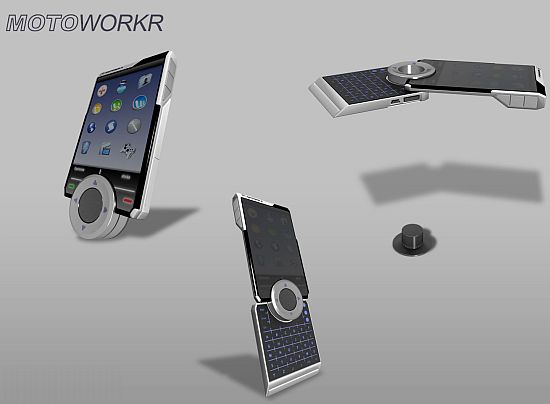
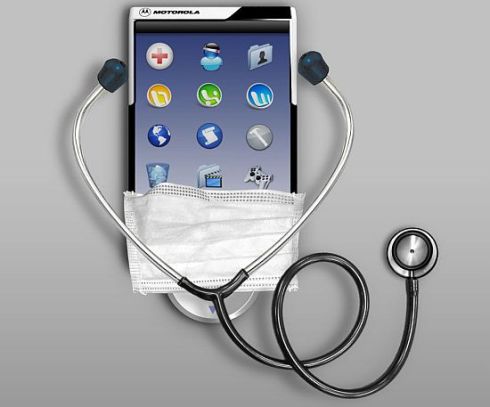
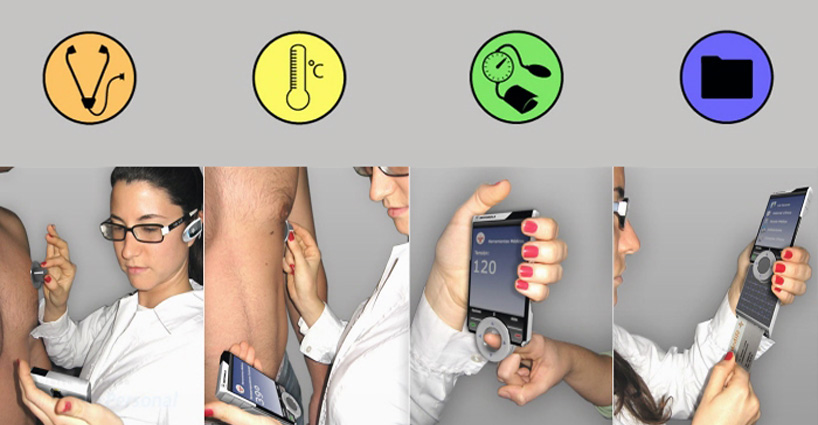
Over the period, cellphones incorporating latest technologies have turned into a utility gadget that not only allows making or receiving a call but also works as a portable system to fulfill multimedia needs of the users on the go. Taking the mobile phones a step ahead, Italian designer Marco Vanella has come up with an innovative handset named the “Motoworkr,” which apart from performing basic communication needs also incorporates different tools required for regular health checkup to provide first aid during emergencies. Intended towards doctors or medical professionals, the new cellphone integrates a Bluetooth thermometer and tensiometro port for reading digital and medical card to update or transfer health records of the patients.

Source: designblog


Motoworkr cellphone for medical

HTC Hero a 3G smartphone Review

The HTC Hero is a beautifully designed touch screen phone which has a truly stylish look & design. The casing is 11.2cm tall by 5.62cm wide by 1.43cm deep & it weighs 135 grams which gives it a solid & high quality feel. The Hero is a 3G Smartphone which is from the same HTC family as other popular handsets which include the HTC Snap & the HTC Magic. This 3G Smartphone comes with a very large touch screen which measures 3.2 Inches when measured diagonally & the user can view up to 65 thousand colours on this touch screen. This display has a 320 pixel by 480 pixel screen resolution which provides a beautifully crystal clear display. The user can enjoy a multi touch input method on their touch screen. The Hero comes with 288 megabytes of RAM memory & 512 megabytes of ROM memory. The user can insert a memory card to extend their Smartphone's memory capabilities if required. The HTC Hero has a Qualcomm® processor which comes complete with an Android® operating system which supports a HTC Sense™ user interface.

The HTC Hero incorporates a personalisation feature which allows the user to personalise their phone & menus complete with widgets on the home screen. The Hero supports a HTC Scenes feature which allows the user to use their phone in different scenes to suit the users business & personal needs which provide the user with different features which are easy to reach using the scene feature. The user can communicate with friends & colleagues using the messaging service which are built into this stylish Smartphone. A text message service known as SMS messaging allows the user to create & share a message complete with text. The hero has a built in email service which allows the user to communicate freely with their personal contacts & business contacts via email. A MMS service allows the user to create a message which can contain a picture or video with text input & sound for a fun way to share experiences with compatible MMS contacts. The HTC Hero supports a built in instant messaging service which allows the user to share text & symbols input messages in an instant with instant messaging compatible contacts, which is an online communication similar to an instant messaging service the user will be familiar to on their computer. The user can make a call, share messages & even share experiences with others via Facebook. The Hero supports online connection allowing the user to enjoy communicating with friends via Facebook or Flickr. The HTC Hero supports a GPS navigation feature which allows the user to easily locate nearby places & gain direction to their desired location.

An integrated camera feature allows the user to capture still pictures which can be shared with others or stored for viewing at a later time. This camera has a 5 megapixel lens which is located on the back of the casing & this camera supports an automatic focus feature which will ensure a well focused picture is captured each time the camera is used. The user can play video footage on their Hero 3G Smartphone & enjoy high quality video playback in MPEG4, H263, H264 & Windows Media® 9 format for a DVD type video playing experience. If that wasn't enough entertainment then the user can also enjoy playing their favourite tunes on their HTC Hero as the built in music player supports a high quality sound experience waiting to be enjoyed by the user. This music player supports music playback in many formats which include MP3, MIDI, AAC,WAV & Windows Media® 9 to name a few. The user can download new tunes or transfer their CVD's onto their HTC Hero using the connectivity option available. The user can download new ringtones or transfer ringtones from other devices including other mobile phones when the user wishes to hear a new style ringtone each time a call comes in. The HTC Hero supports polyphonic sound, WAV & MP3 format ringtones.

This stunning 3G Smartphone comes with an integrated HTML Internet browser which allows the user to access all their favourite web sites on their mobile Smartphone. The user can connect to other devices such as their computer, a printer or another mobile phone by using a Bluetooth® wireless connection or a USB cabled connection. The user can connect to other devices to transfer files between devices. The HTC Hero supports GPRS & EDGE which allows means the user can enjoy high speed transfer rates when transferring files between the Hero & other devices. The handset supports 3G HSDPA & HSCSD which provides the user with high speed connectivity when desired. A rechargeable fitted battery can provide up to seven hours of 3G talk time or up to eight hours of GSM talk time for the user to enjoy when on the move. The phones built in Wi-Fi® technology allows the user to connect their Smartphone to a close by hotspot connection or a local wireless LAN in the office or at home providing a wireless connection to the Internet. The Hero works over a HSDPA 900 & HSDPA 2100 network as well as covering GSM 850, GSM 900, GSM 1800 & GSM 1900 network coverage. The user can enjoy worldwide roaming on the HTC Hero but the full network coverage depends on the users chosen network operate so may vary from handset to handset.

HTC Hero Specifications & Features

Screen

3.2 Inch 65k Colour TFT LCD Touch Screen (320 x 480 Pixels)

Imaging

5 Megapixel Camera

Auto Focus

Camera Setting

Photo Album

Video Recorder

Video Player (MPEG4, H263, H264 & Windows Media® 9)

Messaging

SMS (Text Messaging)

MMS (Multimedia Messaging)

Email

Instant Messaging

Sound

Music Player (MP3, MIDI, AAC, AMR, WAV, AAC & Windows Media® 9)

Polyphonic, WAV & MP3 Ringtones

Entertainment

Downloadable Games

Organiser

Contacts

Phone Book

Calendar

Clock

Alarm Clock

Document Viewer

GPS Navigation

Multi Touch Input Method

Qualcomm® Processor

Android® Operating System

HTC Sense™ User Interface

Connectivity

3G HSDPA

HSCSD

Wi-Fi®

Bluetooth®

USB

GPRS

EDGE

Network

Quad Band (GSM 850, GSM 900, GSM 1800 & GSM 1900)

HSDPA 900 & 2100

Internet

HTML Browser

Memory & Talk Time

288 Mbytes RAM, 512 Mbytes ROM plus MicroSD™ Memory Card

8 Hours GSM Talk Time

7 Hours 3G Talk Time

440 Hours GSM Standby Time

750 Hours 3G Standby Time

Weight & Size

135 g

112 x 56.2 x 14.35 mm

Source: MP Reviews


HTC Hero